Retrieve list of files and directories ignored or included by Git, NPM, Yarn, JSR, Deno, Bun, VSCE extension CLI and other tools directly within Visual Studio Code.
Under the hood, it uses view-ignored to emulate file resolution rules and ignore pattern matching.
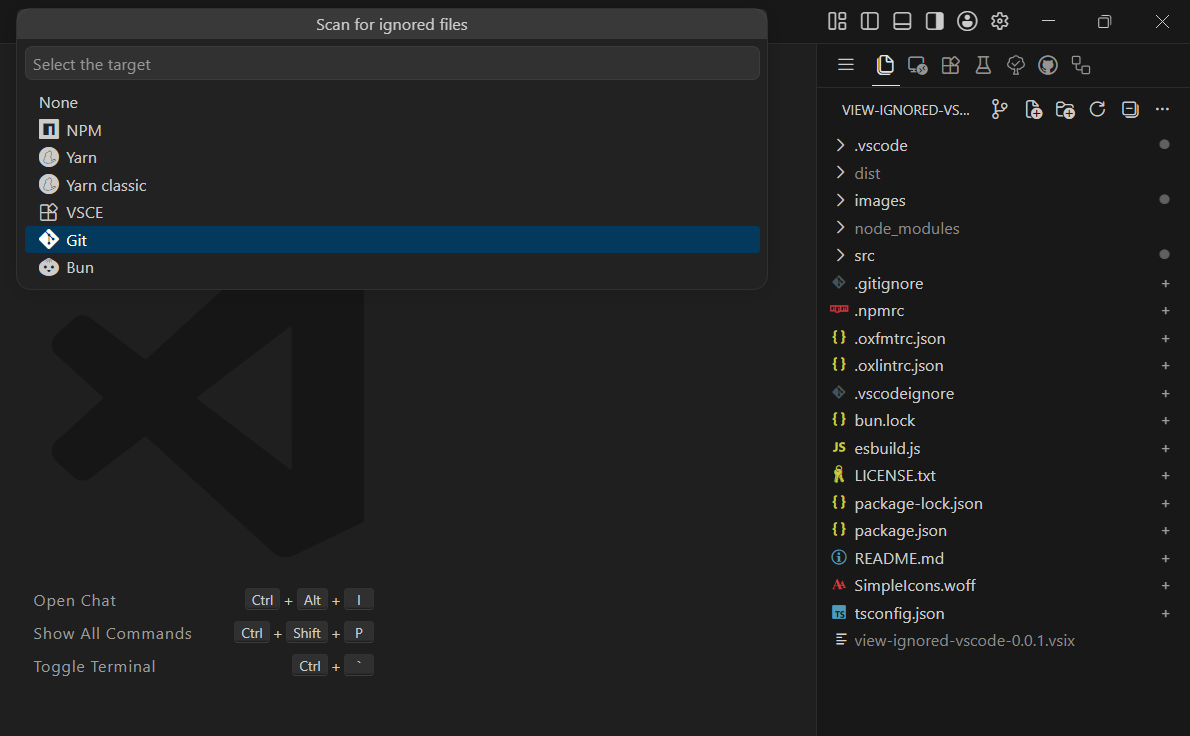
- File Tree Decorations: Display badges in the File Explorer showing which files are ignored (
-) or included (+). - Explain Ignoring Reasons: Inspect exact matching rules, pattern sources (
.gitignore,.npmignore, etc.), or default behaviors. - Real-Time File Watching: Automatically update file decorations when files or ignore rules change.
- Multiple Targets: Switch target evaluation between Git, NPM, Yarn, VSCE, Bun, Deno, and JSR.
Click the Scan decorations icon in the Explorer title bar or run the command:
View ignored: Scan decorations

Hover over any decorated path to view a tooltip explaining why it is ignored or included.
Right-click any file or directory in the File Explorer and select:
Explain ignoring reasons
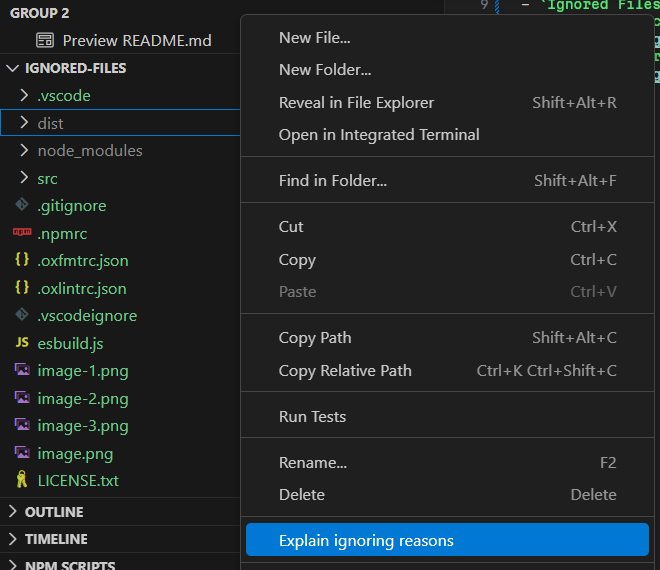
To clear file decorations, click the Disable decorations icon in the Explorer title bar or run:
View ignored: Disable decorations
| Target | Description |
|---|---|
| Git | Evaluates .gitignore, .git/info/exclude, and global gitignore rules. |
| NPM | Evaluates package.json files field, .npmignore, .gitignore, and default NPM exclusions. |
| Yarn v2+, Modern | Evaluates Yarn v2+ Zero-Install and package resolution ignore rules. |
| Yarn v1, Classic | Evaluates Yarn v1 package bundle ignore rules. |
| VSCE | Evaluates VS Code Extension CLI exclusions (.vscodeignore). |
| Bun | Evaluates Bun project file resolution rules. |
| Deno | Evaluates deno.json or deno.jsonc include and exclude configurations. |
| JSR | Evaluates JSR publishing rules from jsr.json or deno.json. |
This extension contributes the following settings:
viewIgnored.target: Default target system used to check for ignored/included file decorations (Git,NPM,Yarn v2+, Modern,Yarn v1, Classic,VSCE,Bun,Deno,JSR,None). Default isGit.viewIgnored.invert: Filter mode for file decorations (ignored,included,both). Default isignored.
viewIgnored.scan(View ignored: Scan decorations)viewIgnored.scan.clear(View ignored: Disable decorations)viewIgnored.explain(View ignored: Explain ignoring reasons)
viewIgnored.isReady:truewhen the extension has been activated.viewIgnored.isScanning:truewhen the extension is currently scanning file decorations.viewIgnored.target: Currently active target system name.
MIT