feat(swift-ios): mark debug threads with warning chrome - #5972
Conversation


|
Important Review skippedAuto reviews are disabled on this repository. Please check the settings in the CodeRabbit UI or the ⚙️ Run configurationConfiguration used: Repository UI Review profile: CHILL Plan: Pro Plus Run ID: You can disable this status message by setting the Use the checkbox below for a quick retry:
Thanks for using CodeRabbit! It's free for OSS, and your support helps us grow. If you like it, consider giving us a shout-out. Comment |
 github-actions
Bot
added
vouch:trusted
github-actions
Bot
added
vouch:trusted
|
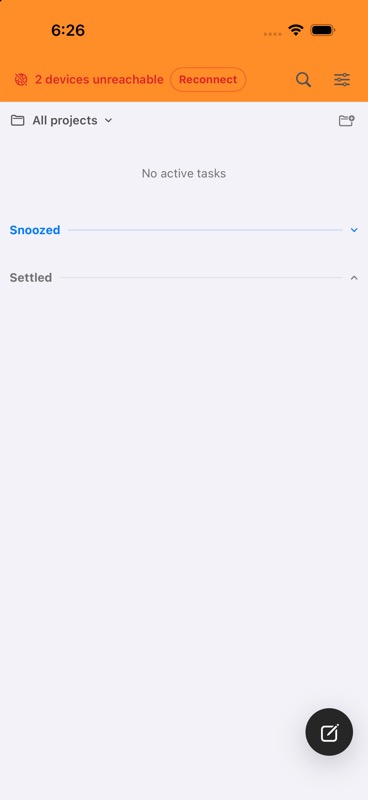
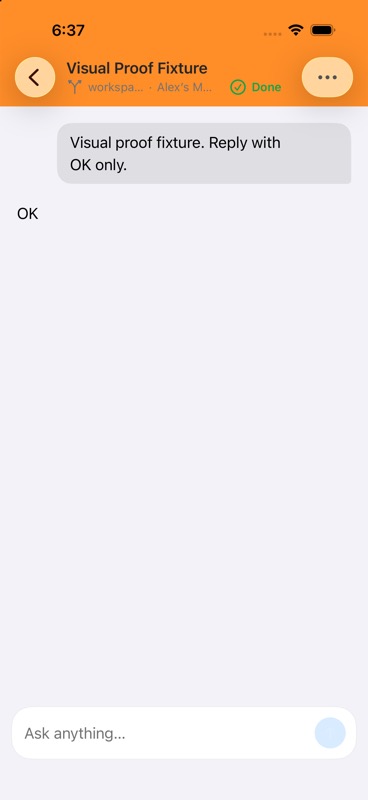
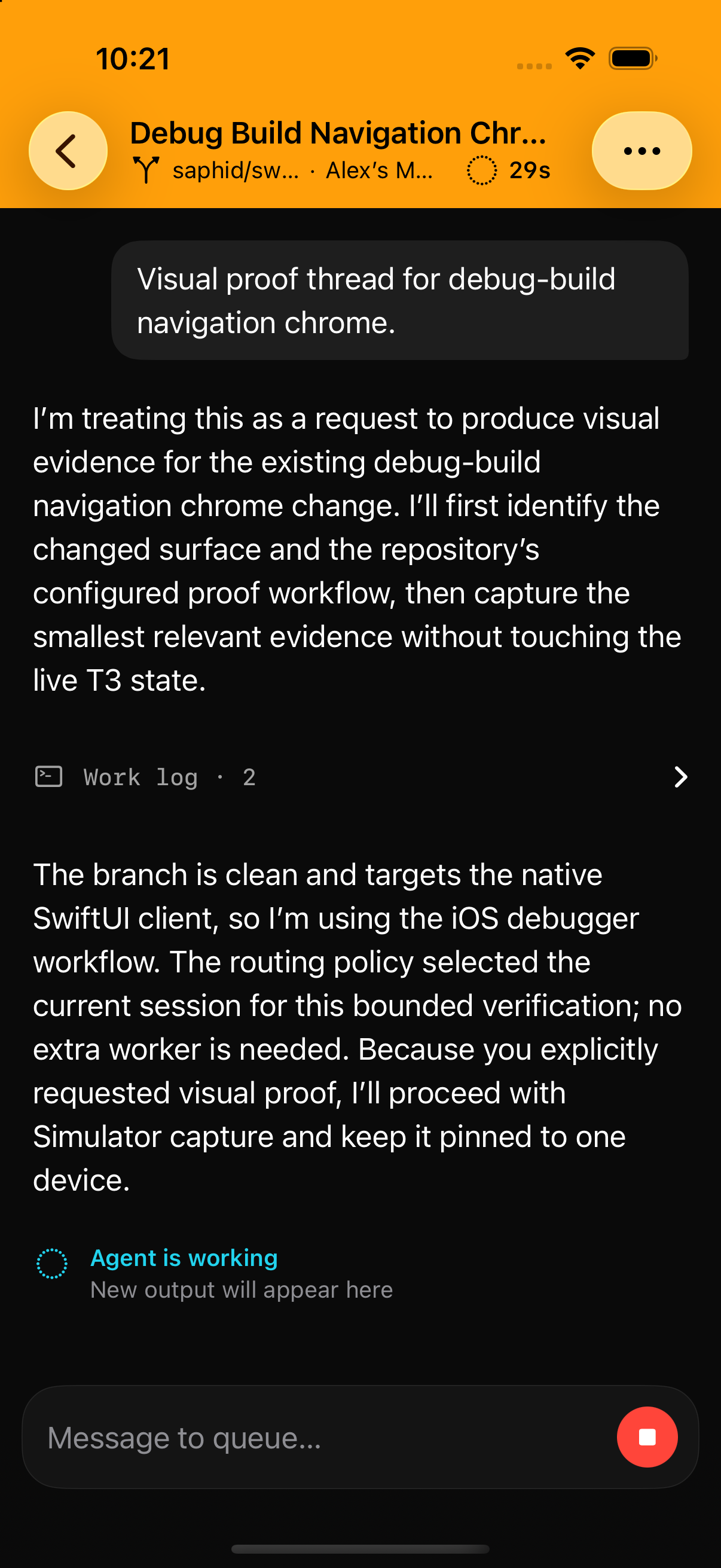
Simulator evidence from the integrated approved Debug build:
Verified on iOS 26.5 across home, new-thread, and live-thread routes. |

![cursor[bot]](https://avatars.githubusercontent.com/in/1210556?s=60&v=4)
![macroscopeapp[bot]](https://avatars.githubusercontent.com/in/900172?s=60&v=4)

ApprovabilityVerdict: Approved 47bebfd This PR adds debug-only visual styling using compile-time You can customize Macroscope's approvability policy. Learn more. |

Dismissing prior approval to re-evaluate 826af68
github-actions
Bot
added
size:M
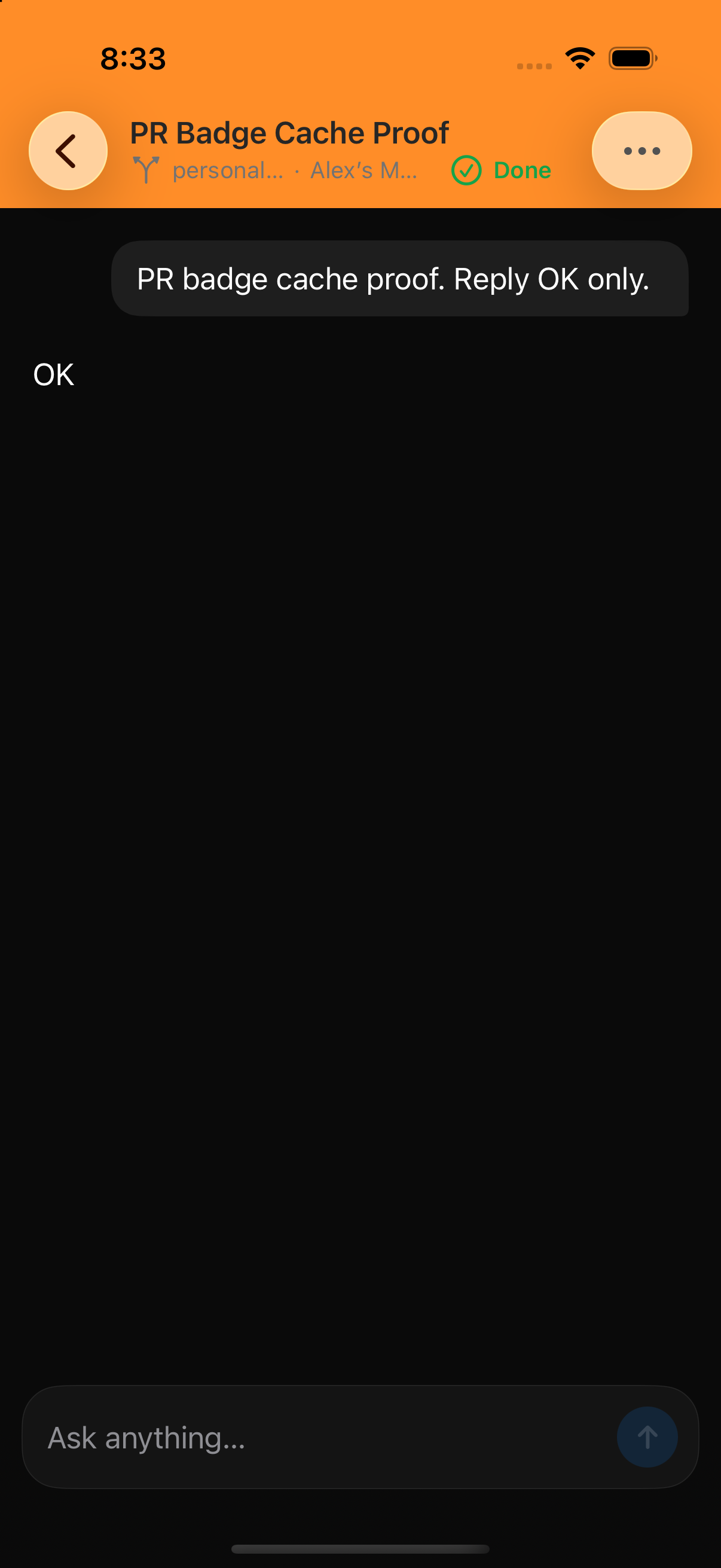
Dark-mode simulator verification
Built and launched the integrated |
Dismissing prior approval to re-evaluate 29e4bcd

There was a problem hiding this comment.
Cursor Bugbot has reviewed your changes using high effort and found 1 potential issue.

❌ Bugbot Autofix is OFF. To automatically fix reported issues with cloud agents, enable autofix in the Cursor dashboard.
Reviewed by Cursor Bugbot for commit 29e4bcd. Configure here.
|
Rebuilt on the exact current Theo SwiftUI head ( Final verification on exact PR result:
The reviewer also confirmed no path overlap with Theo's newer usage work and no build/release overlap. The shared Debug policy is adaptive; Release uses normal chrome. |
29e4bcd to
ef66325
Compare
Dismissing prior approval to re-evaluate ef66325
github-actions
Bot
added
size:L
|
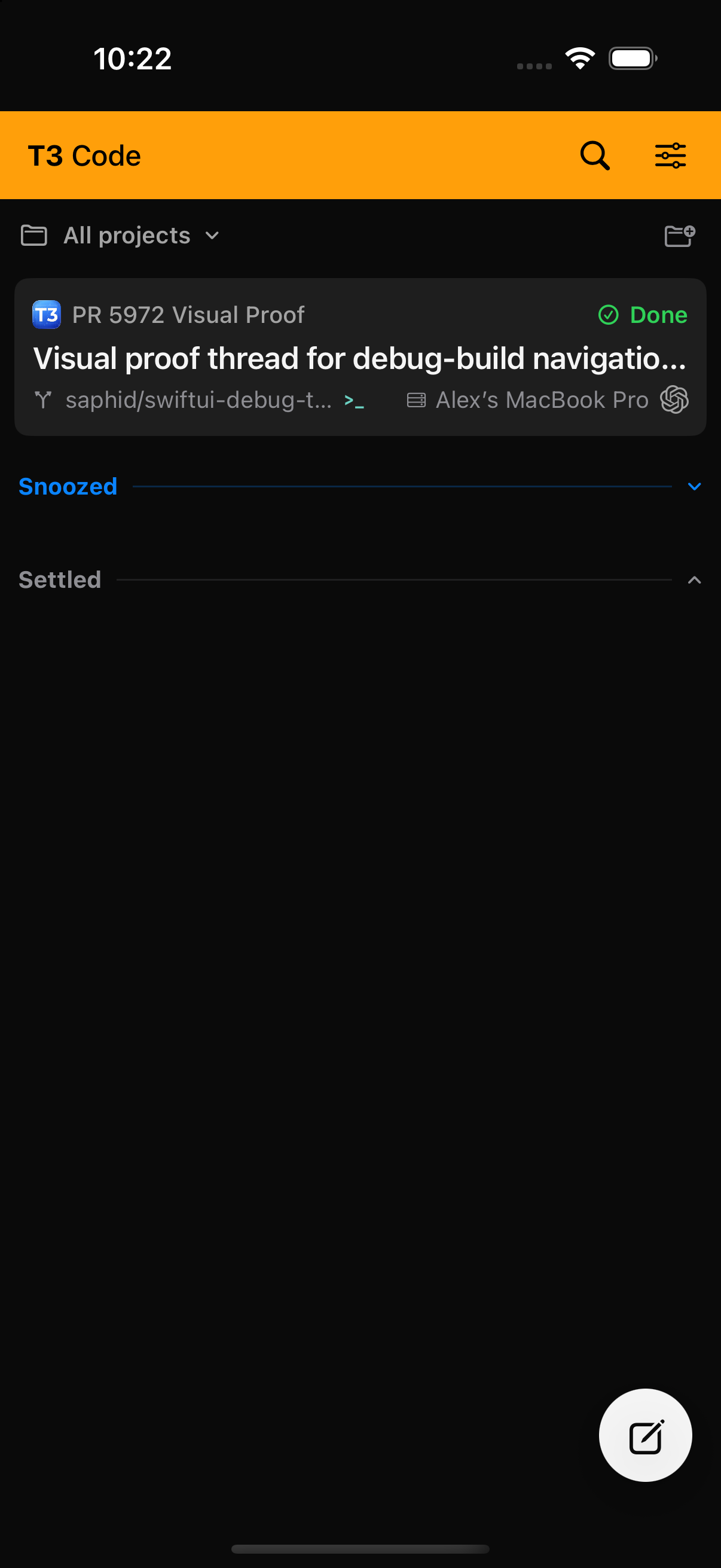
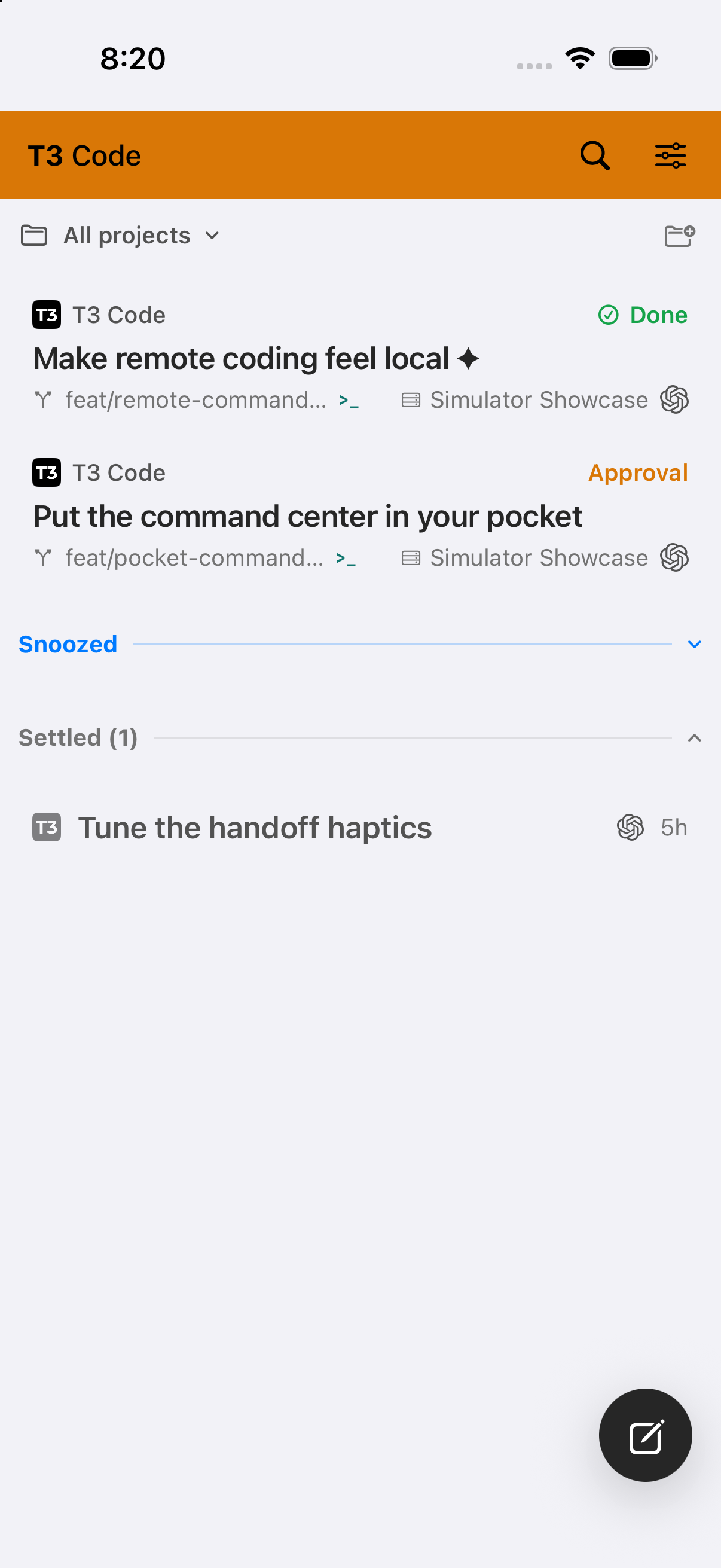
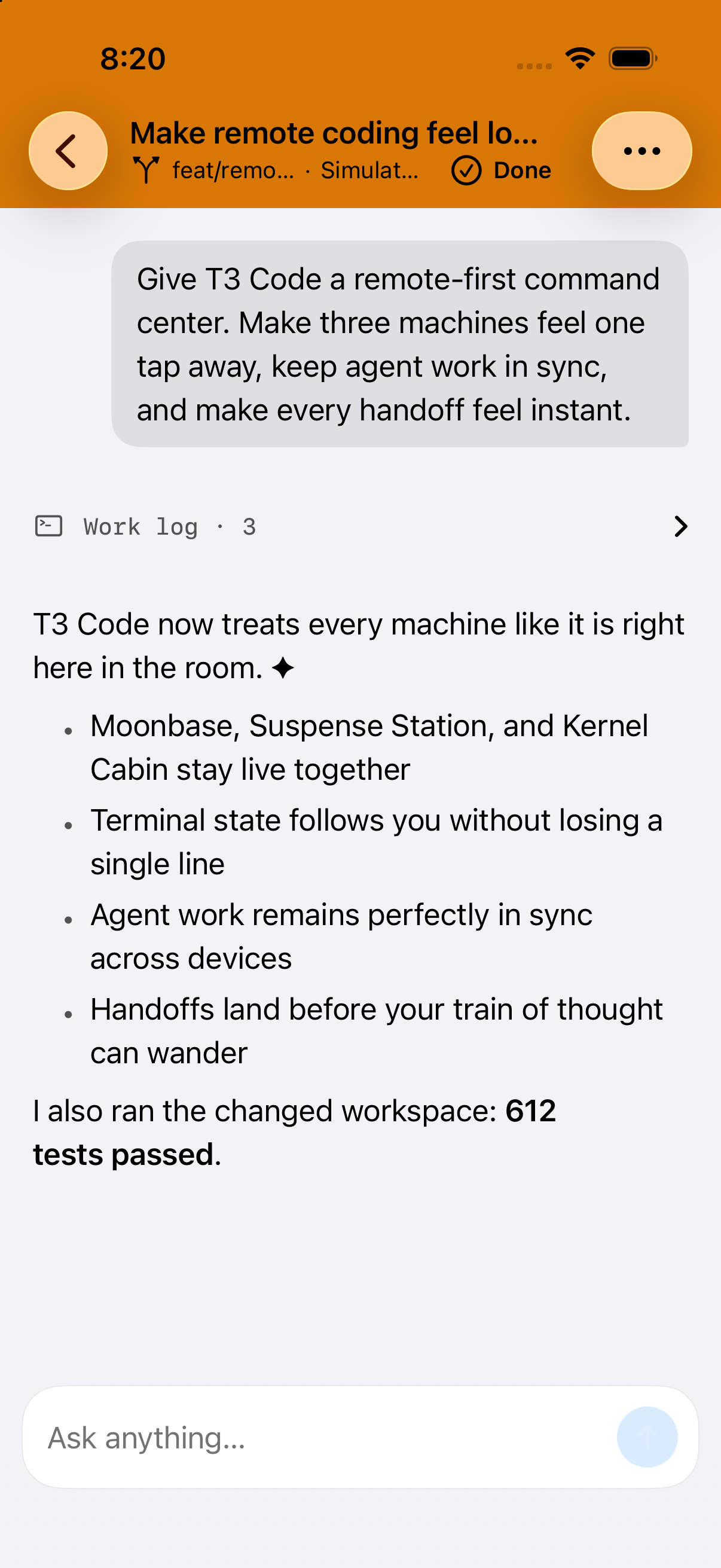
Final connected simulator verification on exact head
Connected home:
Thread detail:
|
ef66325 to
47bebfd
Compare
|
Exact final-head simulator proof (47bebfd): warning chrome and the system back chevron remain clearly legible after removing the overly broad tint scope.
Focused DebugBuildChromeTests passed (3/3). The current native-CI red is the base-branch provider-catalog fixture failure fixed separately in #6130. |
1 participant

Summary
Uses the adaptive warning color for the navigation title bar of thread screens in DEBUG builds only, making development threads visually unmistakable without changing release builds.
Verification
Scope
Targets the active native SwiftUI owner branch (#5178).
Note
Mark navigation chrome with warning colors on debug builds for Home, New Task, and Thread screens
T3BuildChromein T3Theme.swift with per-surface helpers that switch backgrounds, foregrounds, toolbar color scheme, and content opacity to a warning presentation in Debug builds; Release builds are unaffected.uiWarning/warningForegroundcolors toT3Colorswith explicitColorScheme-aware resolution viawarning(for:).t3BuildNavigationChrome,t3BuildChromeBackground, andt3BuildChromeMarkerview modifiers to ThreadDetailView.swift, NewThreadView.swift, and WorkspaceView.swift.Macroscope summarized 47bebfd.
Note
Low Risk
Visual-only,
#if DEBUG-gated styling on navigation bars with tests; no auth, networking, or data-path changes.Overview
Debug builds now show adaptive warning-yellow title bars on Home, New Task, and thread screens so dev installs are visually distinct from Release; production styling is unchanged.
Adds
T3BuildChromein the design system: compile-time#if DEBUGswitches surfaces to warning backgrounds, black foregrounds, a light navigation toolbar scheme, and accessibility values like “Development build.” New modifiers wire this intoWorkspaceView(home bar),NewThreadView(top bar), andThreadDetailView(navigation chrome plus header/actions). Warning colors get UIKit tokens andT3Colors.warning(for:)so the bar tint stays correct when the toolbar forces a light color scheme.DebugBuildChromeTestsassert debug vs release behavior and WCAG contrast for warning text on the warning background; README notes the feature.Reviewed by Cursor Bugbot for commit 47bebfd. Bugbot is set up for automated code reviews on this repo. Configure here.