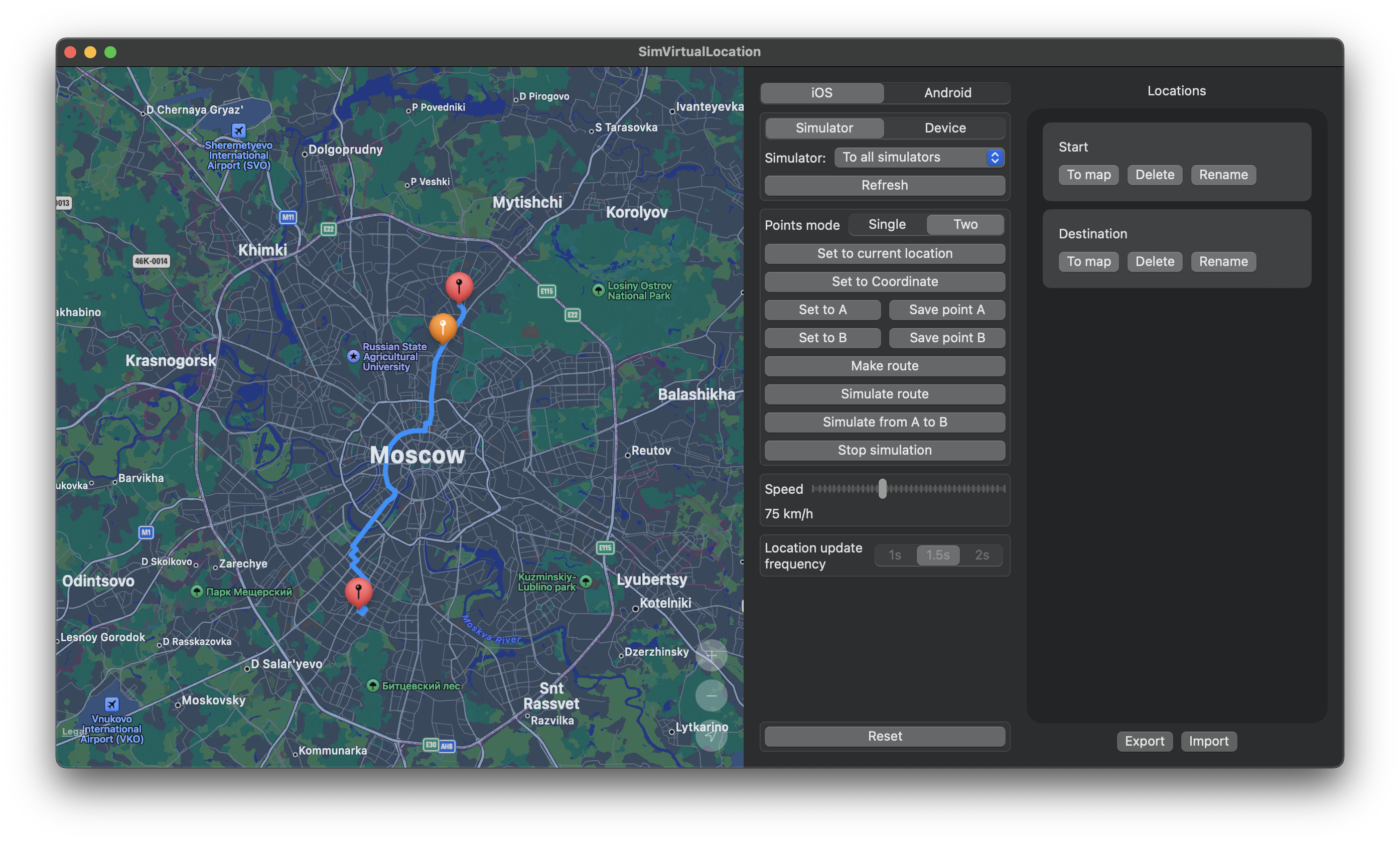
Easy to use MacOS 11+ application for easy mocking iOS device and simulator location in realtime. Built on top of set-simulator-location for iOS Simulators and pymobiledevice3. Android support is realized with SimVirtualLocation android app which is fork from android-mock-location-for-development.
Posibilities:
- supports both iOS and Android
- set location to current Mac's location
- set location to point on map
- make route between two points and simulate moving with desired speed
- pause and resume a route without starting it over, and change speed while it runs
You can dowload compiled and signed app here.
If you see an alert with warning that app is corrupted and Apple can not check the developer: try to press and hold ctrl, then click on SimVirtualLocation.app and select "Open", release ctrl. Now alert should have the "Open" button. Don't forget to copy app from dmg image to any place on your Mac.
python3 and pymobiledevice3 are should be installed
brew install python3 && python3 -m pip install -U pymobiledevice3For iOS Device - select device from dropdown and then click on Mound Developer Image. If you see an error that there is no appropriate image - download one from https://github.com/mspvirajpatel/Xcode_Developer_Disk_Images/releases if your iOS for example 16.5.1 and there is only 16.5 - it's ok, just copy and rename it to 16.5.1 and put it inside Xcode at .../Xcode.app/Contents/Developer/Platforms/iPhoneOS.platform/DeviceSupport/
Leave the iOS 17+ checkbox ticked (it is on by default) and keep Connection on
Automatic. Pick your iPhone from the Device dropdown and that is the whole setup —
SimVirtualLocation opens the tunnel itself using pymobiledevice3's userspace network stack,
so no Terminal window and no sudo are involved. Progress is shown under the dropdown while
the tunnel comes up.
Switch Connection to Manual only if you would rather use a kernel tunnel, which is faster for large transfers. Start it yourself, keep it running, and copy the two values it prints into the RSD Address and RSD Port fields:
sudo python3 -m pymobiledevice3 remote start-tunnelTry to refresh list and if it does not help - go to Settings / Developer on iPhone and click Clear trusted computers. Replug cable and press refresh. If it still not in list - go to Xcode / Devices and simulators and check your device, there are should not be any yellow messages. If it has - make all that it requires.
- Check if debugging over USB is enabled
- Specify ADB path (for example
/User/dev/android/tools/adb) - Specify your device id (type
adb devicesin the terminal to see id) - Setup helper app by clicking
Install Helper Appand open it on the phone - Grant permission to mock location - go to Developer settings and find
Application for mocking locationsor something similar and choose SimVirtualLocation - Keep SimVirtualLocation running in background while mocking