
A template and a tool for enhancing DocFx.
This project includes two parts:
-
The
docfx-plustemplate which extends DocFx'smoderntemplate to fix many UI problems and behaviors. It looks and feels more similar to Microsoft's Learn site. -
The
docfx-plustool which is a wrapper arounddocfxtool, which at runtime patches the internals to fix some problems; currently mainly for advanced support of XML Comments (xmldocs)<code>blocks. This wrapper is developed because these changes cannot be applied in the template (or in a plugin as it's too late for metadata (.yml) changes). The tool can also convert/migrate your existingSHFBprojects completely todocfxprojects.
This project was mainly done for migrating our projects' docs from SHFB (Sandcastle Help File Builder)
which is still very stable but its theme and architecture was outdated.
SHFB was used for many years mainly because of its excellent <code> block support and now we put these features into docfx.
Live Demo - API docs for our other project DotMake Command-Line.

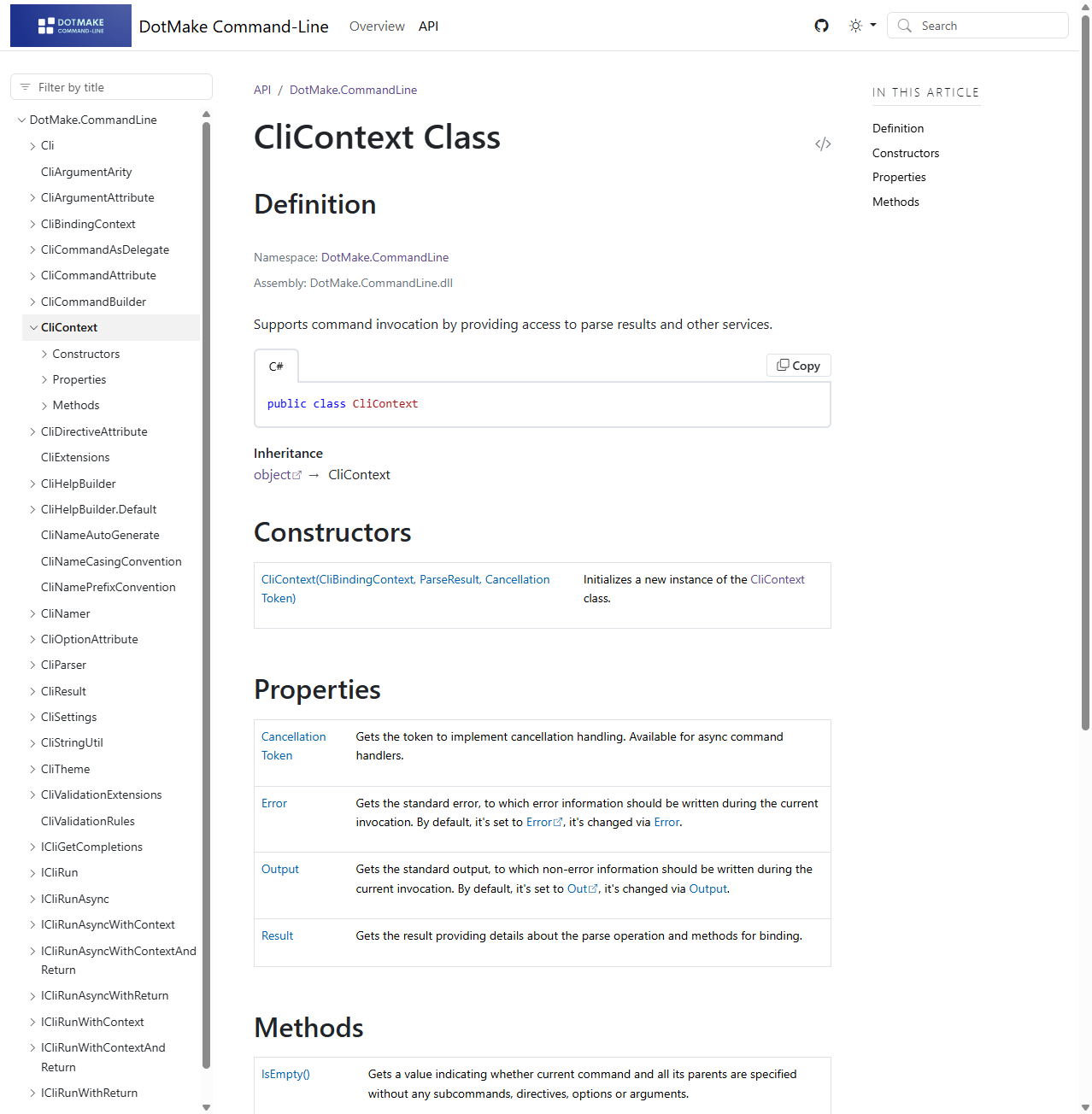
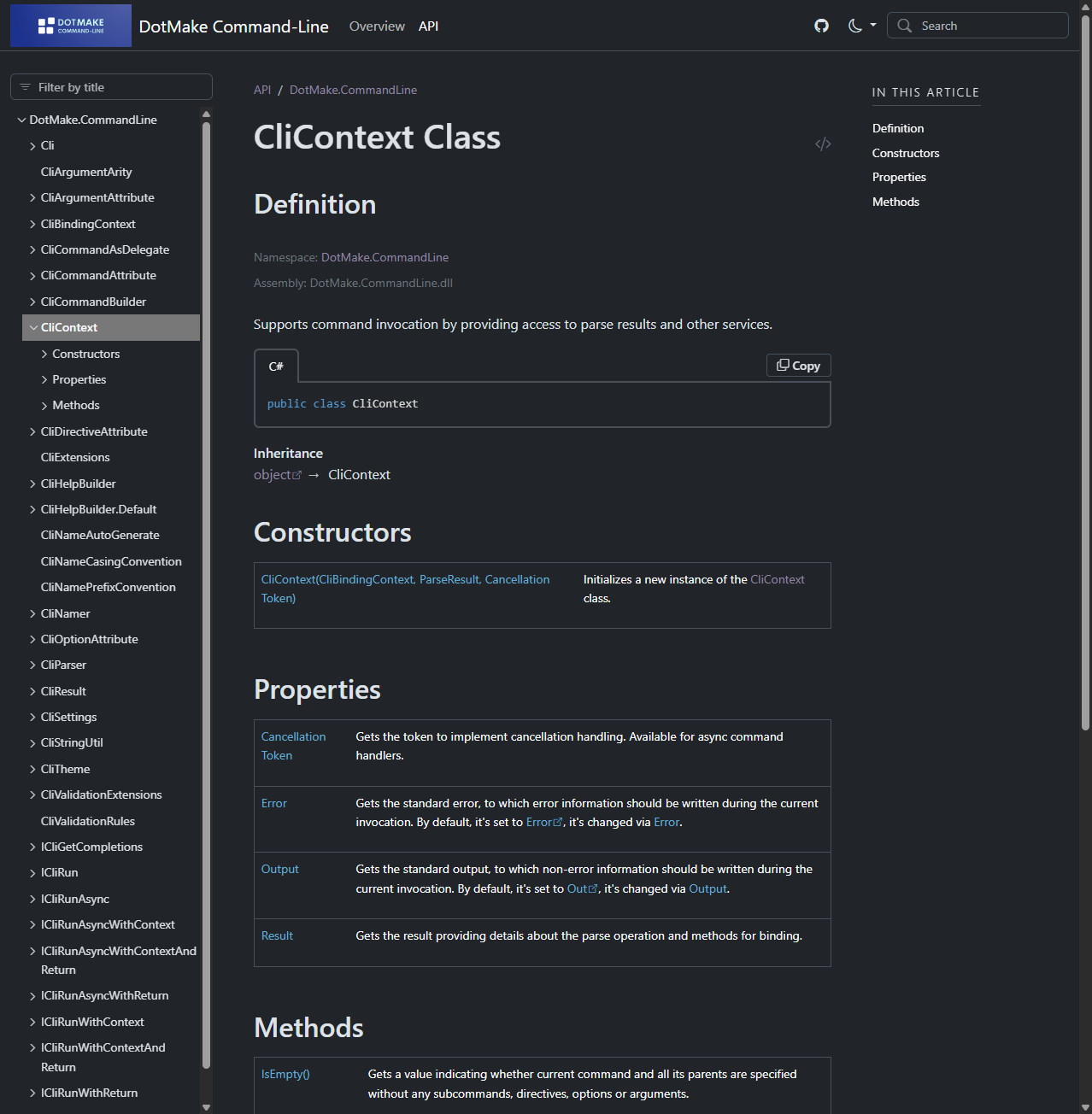
Install the dotnet tool from NuGet.
dotnet tool install --global docfx-plusOr just update to the latest (also installs if not exists):
dotnet tool update --global docfx-plus- .NET SDK 8.0 and later. The .NET CLI (
dotnetcommand) is included with the .NET SDK.
Just use docfx-plus command instead of docfx command with same subcommands, arguments and options:
docfx-plus init --yes

docfx-plus --serve

docfx-plus metadata

docfx-plus build
Refer to DocFx Commandline Reference for more details.
The tool also adds new convert command to convert/migrate your existing SHFB (Sandcastle Help File Builder) projects completely to docfx projects:
- Project file (
.shfbproj) will be converted todocfx.json - Content Layout files (
.content) will be converted totoc.yml - MAML Topic files (
.aml) will be converted to Markdown files (.md) - Namespace summaries will be converted to overwrite files (
.md) - Other content files like images will be copied
- By default
contentsubfolder will be rebased todocs
andicons,mediasubfolders will be rebased toimagesto matchdocfxconventions.
Convert the first found .shfbproj file in current directory to docfx subfolder:
docfx-plus convert -o docfxConvert a specific .shfbproj file to docfx path:
docfx-plus convert path/Documentation.shfbproj -o path/docfxAll options for convert command:
Usage:
  docfx-plus convert [<shfb-project-file>] [options]

Arguments:
  <shfb-project-file>  The path to the SHFB project file (`.shfbproj`). By default, the first found `.shfbproj` file in
                       current directory is used

Options:
  -o, --output <output>                            The output base directory to write converted DocFx project files.
                                                   [required]
  -d, --docs-location <docs-location>              The subfolder under DocFx project, to use for markdown (`.md`)
                                                   files. [default: docs]
  -i, --images-location <images-location>          The subfolder under DocFx project, to use for image files. [default:
                                                   images]
  -a, --api-location <api-location>                The subfolder under DocFx project, to use for generated API metadata
                                                   (`.yml`) files. [default: api]
  -O, --overwrites-location <overwrites-location>  The subfolder under DocFx project, to use for overwrite (`.md` or
                                                   `.yml`) files. [default: overwrites]
  -r, --rebase-content                             Whether to rebase `content` subfolder from SHFB to `docs` location
                                                   when converting. [default: True]
  -R, --rebase-images                              Whether to rebase `icons` and `media` subfolders from SHFB to
                                                   `images` location when converting. [default: True]
-?, -h, --help Show help and usage informationPass template (and inherited template) names to the tool like this:
docfx-plus -t default,modern,docfx-plusOr edit your docfx.json and update the template property so that you are able to use the theme:
"template": [
  "default",
  "modern",
  "docfx-plus"
]
And ensure outputFormat is not set to a value other than mref (the default value if not set, which means ManagedReference).
For example using value apiPage will not make use of our theme because for that mode,
docfx internally generates the HTML, most of which is not customizable in the template.
Use these metadata settings for best results:
"metadata": [
  {
    "memberLayout": "separatePages",
    "categoryLayout": "nested"
  }
]
The theme also supports offline mode via property _enableOfflineMode, which when set to true, generates documentation that can be run
on file system (offline, no web server required). Cross domain errors with file:// origin is fixed with some
smart tricks so TOC, Nav, Breadcrumb and even the full-text search works.
We didn't implement a new separate theme but instead added this switch for existing docfx-plus theme so that
the offline version looks and works exactly like online version.
The problem with docfx bundled statictoc theme (besides its ugly looks) is that, it statically inserts TOC to
every HTML file so it produces very large files especially for api subfolder and it can't run search like our offline mode.
For example, you can build online version for deploying to your web server:
docfx-plus build -t default,modern,docfx-plusand then you can build offline version for bundling in your product zip (works smoothly just like legacy .chm files):
docfx-plus build -t default,modern,docfx-plus -m _enableOfflineMode -o _site_offlineOr in your docfx.json:
"template": [
  "default",
  "modern",
  "docfx-plus"
],
"globalMetadata": {
  "_enableOfflineMode": true
}
The template can also be used alone with regular docfx tool, however it's recommended to use docfx-plus tool
which already bundles the template and in addition provides important fixes for <code> blocks.
If you want to use the theme with the regular docfx tool, you can export it via:
docfx-plus template export docfx-plusThis will export the bundled docfx-plus template to _exported_templates subfolder, which then can be consumed as:
"template": [
  "default",
  "modern",
  "_exported_templates/docfx-plus"
]
Refer to DocFx Config Reference for more details.
We provide some .cmd batch scripts in build folder for easier building:
1. Build Cli App.cmd
2. Build Nuget Packages.cmd
3. Build Docs WebSite.cmd
Output results can be found in publish folder, for example:
DotMake.DocfxPlus.Cli-net8.0

docfx-plus.3.6.0.nupkg

Docs-WebSite
Docs-Offline