Windows Desktop Right-Click "New" Menu Manager
Windows 桌面右键"新建"菜单管理器


Manage what appears in your Windows right-click → New menu.
管理 Windows 桌面右键 → 新建菜单中的文件类型。
- View all "New" menu entries and their registry paths | 查看所有新建菜单条目及注册表位置
- Enable / Disable / Delete any file type | 启用 / 禁用 / 删除任意文件类型
- Add custom file types (empty file, from template, or via command) | 添加自定义文件类型(空文件、模板、命令)
- Backup & Restore registry configuration to JSON | 备份和恢复注册表配置
- Restore Windows defaults with one click | 一键恢复 Windows 系统默认值
- CLI tool (
nmcli) for scripting and automation | 命令行工具支持脚本自动化 - Bilingual UI Chinese / English toggle (Ctrl+L) | 中英双语界面切换
- Dark / Light theme follows system or manual toggle | 暗黑 / 亮色主题
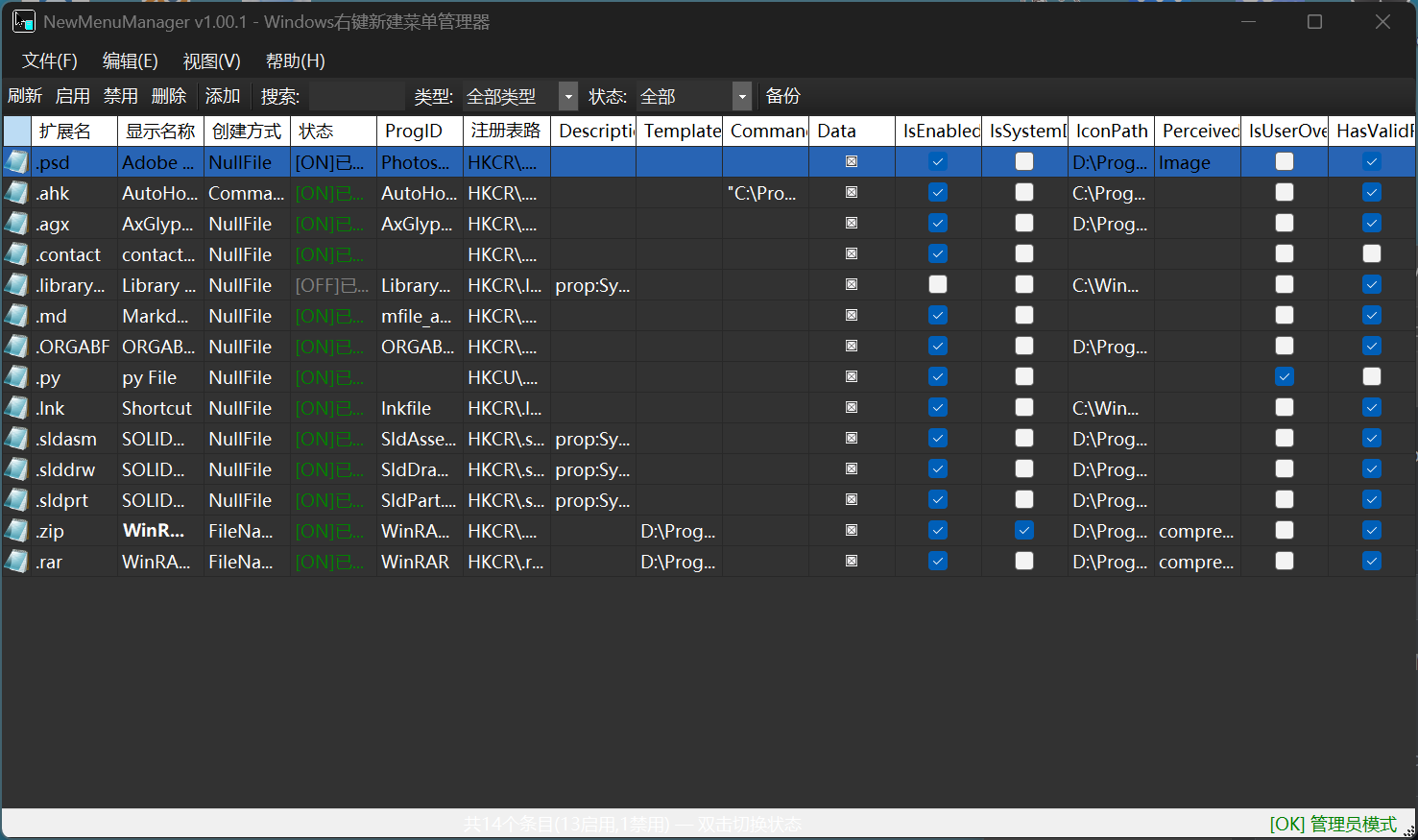
- Windows 10 1809+ / Windows 11
- .NET 9.0 SDK
- Administrator rights (for registry modification)
# Clone
git clone https://github.com/dboycht/NewMenuManager.git
cd NewMenuManager

# Build & Run GUI
dotnet run --project NewMenuManager.GUI

# Or use the setup script
.\setup.ps1          # PowerShell (Chinese/English interactive menu)
.\setup.bat # Batch launcher# Build only
.\build.ps1
.\build.bat
# Publish as single-file executables to .\publish\
.\publish.ps1
.\publish.bat
# Package to folder (pure English script)
.\package.ps1nmcli list # List all entries
nmcli list --json # JSON output
nmcli info .txt # Show details
nmcli enable .md .py # Enable entries
nmcli disable .tmp # Disable entries
nmcli delete .old # Delete entries
nmcli add .md --name "Markdown" # Add new type
nmcli add .py --type command --command "python \"%1\""
nmcli backup # Create backup
nmcli restore --defaults # Restore defaults
nmcli scan # Diagnostic scan| Script | Purpose | 用途 |
|---|---|---|
setup.ps1 / setup.bat |
Interactive menu: build, run, publish | 交互菜单:编译、运行、发布 |
build.ps1 / build.bat |
Build the solution | 编译项目 |
run.ps1 / run-gui.bat / run-cli.bat |
Quick launch GUI or CLI | 快速启动 |
publish.ps1 / publish.bat |
Publish single-file exe to .\publish\ |
发布为单文件 |
package.ps1 |
Package all outputs to .\dist\ folder |
打包到发布文件夹 |
NewMenuManager/
├── NewMenuManager.sln
├── NewMenuManager.Core/          # Core library (models + services)
├── NewMenuManager.GUI/           # WinForms desktop app
│   ├── Forms/
│   │   ├── MainForm.cs           # Main window with entry list
│   │   ├── AddTemplateForm.cs    # Add new file type dialog
│   │   ├── BackupRestoreForm.cs  # Backup management dialog
│   │   ├── SettingsForm.cs       # Preferences dialog
│   │   └── AboutForm.cs          # About dialog
│   ├── Loc.cs                    # Bilingual helper (Chinese/English)
│   ├── Program.cs                # Entry point + dark mode
│   └── logo.ico                  # Application icon
├── NewMenuManager.CLI/           # CLI tool (nmcli.exe)
├── NewMenuManager.ShellExt/      # Shell extension (optional)
├── setup.ps1 / setup.bat         # One-click launcher scripts
├── build.ps1 / build.bat         # Build scripts
├── publish.ps1 / publish.bat     # Publish scripts
├── package.ps1                   # Package script
└── README.md
The Windows "New" context menu reads from registry:
HKEY_CLASSES_ROOT
└── .<extension>              e.g. .txt
    ├── (Default) = <ProgID>  e.g. txtfile
    └── ShellNew
        ├── NullFile = ""      → creates empty file
        ├── FileName = "..."    → copies template
        └── Command = "..."     → runs program
NewMenuManager safely reads/writes these keys:
- Enable: rename
ShellNew_Disabled→ShellNew - Disable: rename
ShellNew→ShellNew_Disabled(reversible) - Delete: remove
ShellNewkey (auto-backup first) - Add: create extension → ProgID → ShellNew keys
- Initial release | 首次发布
- View / Enable / Disable / Delete New menu entries
- Add custom file types (NullFile / FileName / Command)
- Backup & Restore registry configuration
- CLI tool (nmcli) with 12 commands
- Bilingual UI (Chinese / English) with Ctrl+L toggle
- Dark / Light theme support
- Shell extension integration (optional)
- Inline field descriptions in Add dialog
- ToolTips with detailed explanations on all controls
- Registry safety: auto-backup before changes, reversible disable
dboycht — github.com/dboycht/NewMenuManager
MIT License — see LICENSE for details.