Deploy production ready authorizer.dev instance using heroku with PostgreSQL and Redis and build with it in 30seconds

After click the above button you will see screen as below, follow the steps mentioned below:
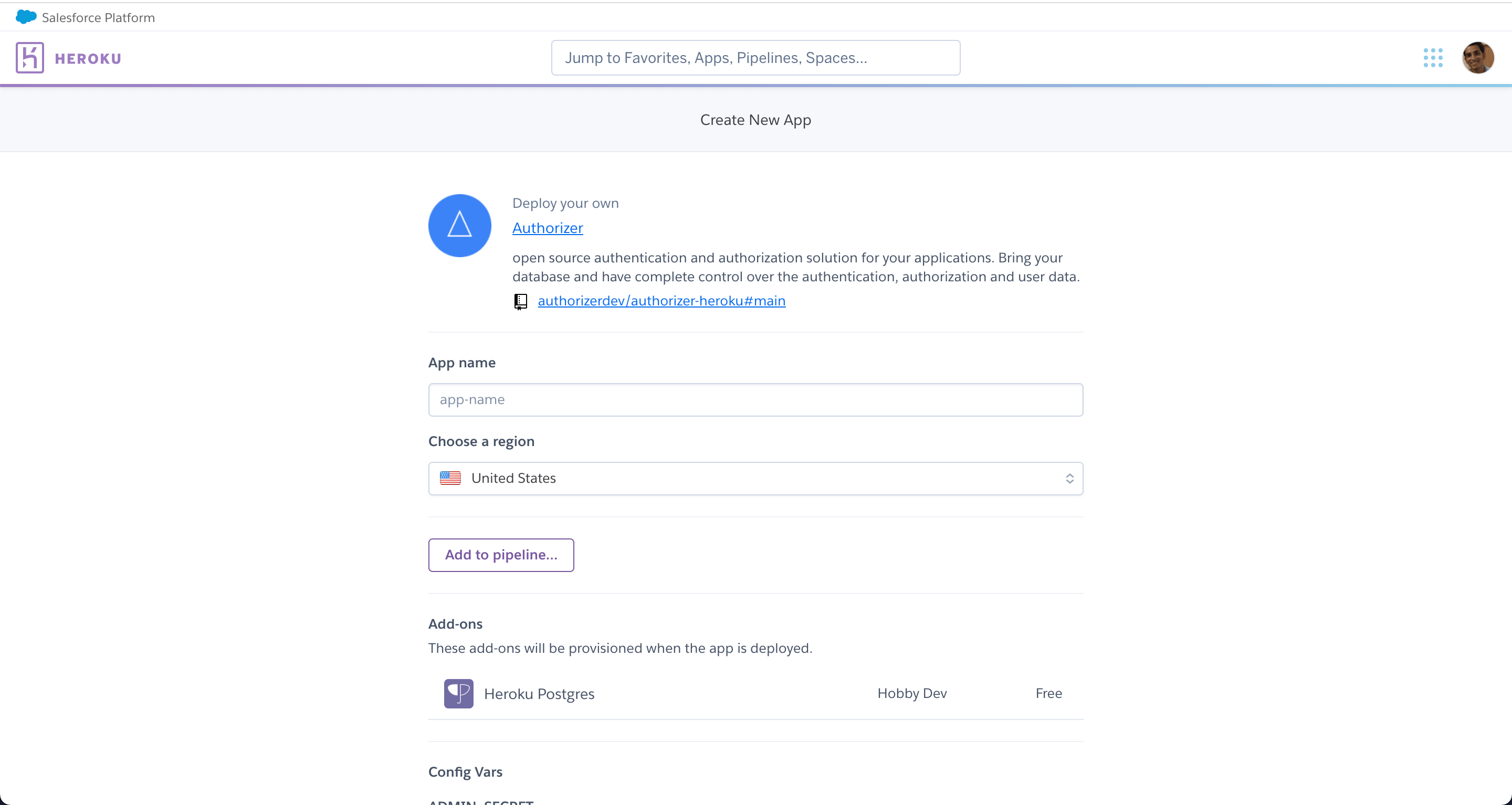
App name becomes the url for your application. Example if you have entered authorizer-demo as the app name then the authorizer url will be authorizer-demo.herokuapp.com.
Select the region you want to deploy you application in. Heroku supports United States and Europe only.
Authorizer v2 requires the following variables. Configure them in Heroku's Config Vars section:
| Variable | Description | Example |
|---|---|---|
DATABASE_TYPE |
Database type | postgres |
DATABASE_URL |
Database connection string | (auto-configured by Heroku add-on) |
AUTHORIZER_URL |
This deployment's own public base URL (required). Not the same as allowed origins — this is where Authorizer itself lives. The server exits at boot without it | https://your-app.herokuapp.com |
JWT_TYPE |
JWT signing algorithm | HS256 |
JWT_SECRET |
JWT signing secret | test |
ENCRYPTION_KEY |
At-rest key for TOTP secrets and OTP digests. Required with RS*/ES* |
(output of openssl rand -hex 32) |
ADMIN_SECRET |
Admin secret for admin operations | admin |
CLIENT_ID |
Client identifier (required) | 123456 |
CLIENT_SECRET |
Client secret (required) | secret |
These are mapped to CLI flags at startup.
ENABLE_EMAIL_VERIFICATION=true with no SMTP configured is now a fatal boot
error, not a warning. Every account-recovery route ends at the same mailbox,
so without a mail path a user is created unverified and can never recover. If
you set it, also set SMTP_HOST, SMTP_PORT and SMTP_SENDER_EMAIL — all
three — or the container will exit on start.
APP_COOKIE_SAME_SITE is now validated at boot too: an unrecognised value
exits rather than silently falling back to lax.
REDIRECT_URIS is new and unset by default, which keeps the old, looser
behaviour: redirect_uri is matched against ALLOWED_ORIGINS, and that
compares origins, so any path under an allowed host is accepted. Set it to
the comma-separated list of exact callbacks your apps use — e.g.
https://your-app.herokuapp.com/app,https://yoursite.com/callback — to get the exact matching
OIDC Core §3.1.2.1 requires. It applies to every flow carrying your
CLIENT_ID, so list them all or those logins start failing with
invalid redirect_uri.
Two optional flags were added for the 2.4.0 security changes, both defaulting to the secure behaviour:
OAUTH_ALLOW_UNVERIFIED_PROVIDER_EMAIL— a social login whose provider did not attest the email address no longer reaches an existing account. Settrueonly as a temporary compatibility measure.FGA_ALLOW_UNCONSTRAINED_AGENTS— a delegated (agent-acting-for-user) check against an authorization model with notype agentnow denies. Settrueonly while migrating a model.
MICROSOFT_ALLOWED_TENANTS restricts which Entra tenants may sign in when
MICROSOFT_TENANT_ID is a multi-tenant alias (common/organizations/
consumers).
Please refer to the server configuration docs for all available flags.
- Source repo: https://github.com/authorizerdev/authorizer
- Docs: https://docs.authorizer.dev/deployment/heroku/
-
You can update the docker image to the desired version in your repository which gets created with your deployment.